Amazon has just announced its entry-level Kindle, which is available for pre-order and will start shipping on October 12th, 2022. The price starts at $99.
“The new ultralight Kindle is the latest example of how we continue to bring premium features to our most affordable devices for even more customers to enjoy,” said Eric Saarnio, Vice President, Amazon Devices International.
The new Kinde has a six-inch capacitive touchscreen display with a resolution of 1448x1072 with 300 ppi, a higher resolution than the 167ppi of the previous model. 300ppi is the same resolution found on the Kindle Paperwhite and Kindle Oasis.
It has 2x the storage, with 16GB, which is useful for listening to Audible audiobooks. More importantly, the Kindle finally has USB-C charging and longer battery life. Plus the built-in adjustable front light, and the newly added dark mode feature, lets you read comfortably indoors and outdoors any time of the day.
Kobo released their first new Kobo e-reader - Kobo Clara 2E this year. It is the most environment-friendly eReader made with recycled plastic. It has a 6-inch ebook reader that looks nearly identical to the previous Kobo Clara HD, but it adds support for audiobooks, Dark Mode, dual band WiFi, and it has a USB-C port. It also has double the storage space (16GB), along with an upgraded higher-contrast Carta 1200 screen, and it’s waterproof.
Technical Specs
Display: 6” HD E Ink Carta 1200 touchscreen, 300 PPI, 1448 x 1072 resolution with Dark Mode
Boox just released an affordable 6-inch eReader with Android 11 -- The Poke 4 Lite. it is a dedicated ebook reader, just as versatile and capable. It is available in black or white. It does a good job at reading manga, books, and listening to audiobooks, podcasts or music. Here are some highlights about this brand new versatile ereader.
1. A Lightweight and Ultrathin Pocket-size
Measuring 153 x107 x7.1 mm and weighing 150g, the Poke4 Lite is easy to comfortably hold in one hand for hours of reading use. And Boox makes it convenient to slide it into your pocket.
2. Reading-purposed Software Build
With one of the best built-in reader apps - NeoReader, Poke4 Lite offers a superior reading experience on the paperlike screen. It is geared for distraction-free reading.
3. Read from Different Reading Sources in one place
It has Google Play preinstalled which allows you to install third-party reading apps such as Kindle, Kobo, Nook, etc, and sync eBooks from third-party cloud apps such as Dropbox and Google Drive. One eReader for all - eBooks, news, and magazines.
4. Adjustable Front Lights
Poke4 Lite comes with dual-color temperature lights always gives you an interruption-free reading experience.
5. Indulge yourself with audio media
Connect it with Bluetooth-enabled wireless earphones and enjoy your favorite auidobooks, music, news, or podcasts anywhere you want.
Bonus Tips: if you want to know more about how to read kindle/Kobo/Google Play/Nooks books on Boox reader, here's the step-by-step guide for details.
According to the Google Play in-app billing payment policy, in-app transactions required the use of the Google Play billing system, which means higher app store tax. The deadline is Mar 31, 2022, and of course, now it is. As for now, this policy has already made some ebook and audiobook providers discontinue in-app purchases on their Android app. The famous ones you may concern about include Barnes & Noble's Nook app and Amazon's Audible app.
How Will Users Be Affected?
For Audible Users:
As of April 01, 2022, and starting with the Audible for Android app (version 3.23), purchasing titles with a debit or credit card in the app is no longer supported, whether you’re a member or not. To purchase a title using a credit card on an Android device, you need to use the Audible mobile site.
The good news is that Audible Premium Plus members will continue to be able to purchase titles by using credits in the Audible Android app.
For Nook Users:
As of April 4, 2022, with the release of NOOK Software Version 6.1, the ability to purchase has been removed from the Nook App for Android and the Nook HD 10. Nook users will no longer be able to make purchases of digital content in the app.
Thanks to the latest Windows 11 update, users can now run Android apps natively on their PCs. Prior to this update, Android app support was a beta feature exclusive to Windows 11 Insiders, but now, anyone can download and install apps—as long as you meet Microsoft's requirements.
In order to run Android apps in Windows 11, your computer must meet a few basic requirements.
RAM: 8 GB (minimum), 16 GB (recommended)
Storage type: Solid State Drive (SSD)
Processor: Intel Core i3 8th Gen (minimum) or above, AMD Ryzen 3000 (minimum) or above, Qualcomm Snapdragon 8c (minimum) or above
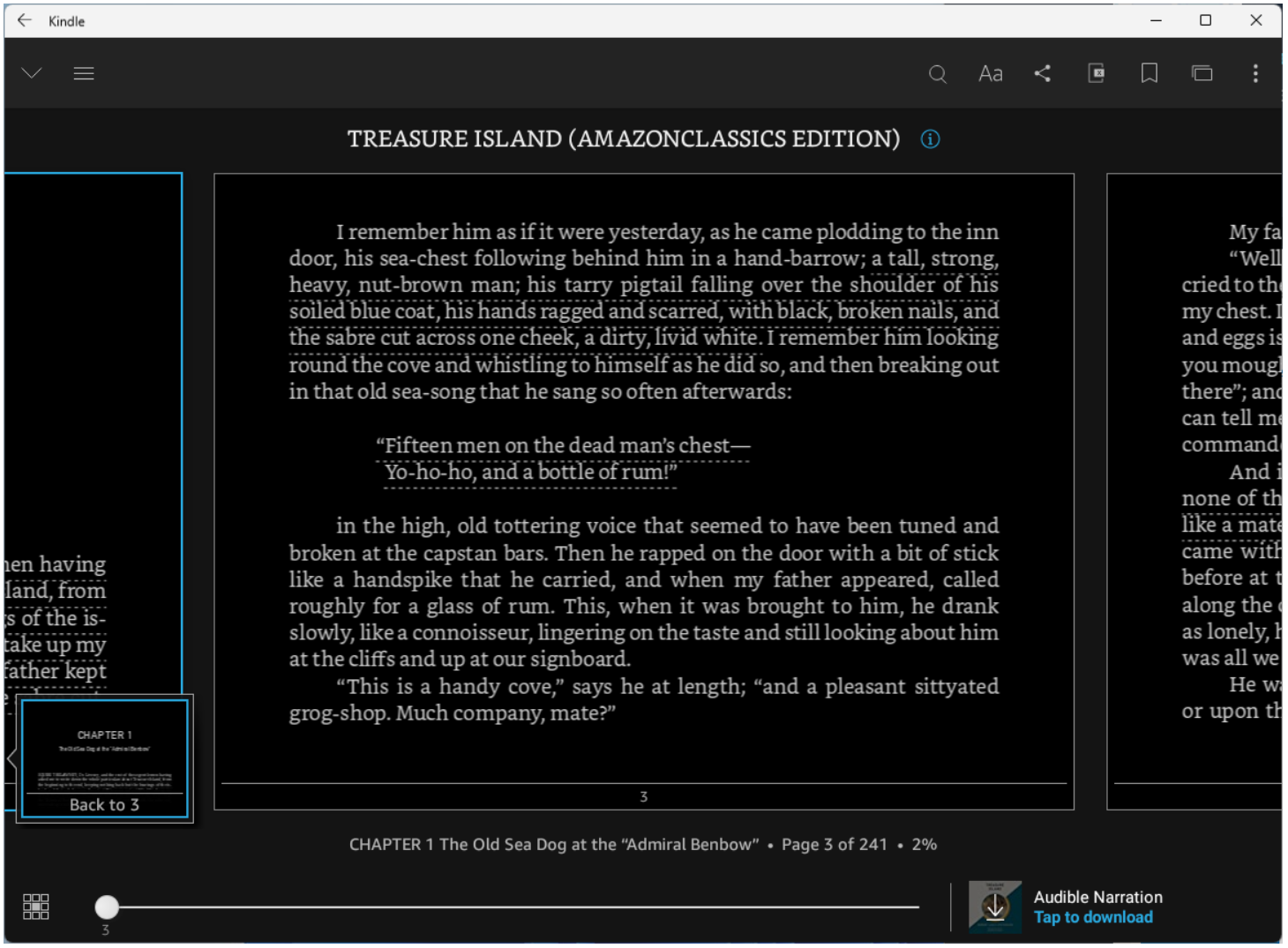
Once everything is updated and all requirements have been met, open the Microsoft Store and search for "Amazon Appstore". (Note: The Amazon Appstore on Windows is only available in the US. ) Select the entry and click Install >Set Up. After it's finished installing, the Amazon Appstore and the Windows Subsystem for Android™ Settings app will appear in the Start menu and your app list. When you're ready, open the Amazon Appstore and sign in with your Amazon account. Once you are signed in, the Amazon Appstore is available to browse and install Android apps.
For example, if you want to install the Amazon Kindle Android app, just search Kindle, and click the Get button to install it on to your computer.
The app will be downloaded and act like any other Windows desktop app—minimize it, make it full screen, or multitask with Snap Layouts. Find it later in the App List.
On January 13, 2022, the Audible for Windows desktop app has been discontinued. Now it's currently not available in the Windows Microsoft store.
Here is a screenshot of the email message shared by a user:
According to the email sent from Audible, users who already have the app installed on their PC can continue to use it until July 31st, 2022. But after that date, people won't be able to use the Audible Windows app to access the library.
And they encourage users to use their iOS or Android apps, the Audible Cloud player or the Echo devices to listen to the audiobooks.
Audible Windows app has provided us a way to download Audible books as AAX format. But now it's discontinued. So the only way to download Audible books in AAX format is to download from the Audible official site www.audible.com. (According to some users, the download on the Italian Audible site has already been discontinued.)
In case Audible will discontinue the downloads from audible.com one day, it's high time that you should download and back up them to your computer.
Here is the detailed guide you can follow to download your Audible books from the Audible official site:
Barnes and Noble shocked the eReader industry by releasing their Nook Glowlight 4 on December 8. It has been more than four years since they announced the last dedicated Nook e-reader - the GlowLight 3.
“The NOOK GlowLight 4 offers everything readers love about the GlowLight 3 with notable upgrades and improvements including a USB-C charger, a sleeker, smaller lightweight design, weeks of battery life, more storage and an overall crisper reading experience,” said by Senior Director of NOOK.
The Nook Glowlight 4 features a 6 inch E INK Carta HD display with a resolution of 1440×1080 and 300 PPI. It retails for $149.99. Underneath the hood is a B300 quadcore 1.5 GHZ CPU processor, 1GB of RAM, and 32GB of internal storage which offers thousands of books at your fingertips. And for the first time, you will be able to charge the reader with a USB-C cable. It has Bluetooth and WIFI to connect to the online bookstore in order to purchase and download ebooks. The lightest ever NOOK eReader, the GlowLight 4 also features improved physical page-turning buttons and a smooth design that sits comfortably in readers’ hands.
Barnes & Noble has a long way to go before it catches up to Kobo or Amazon. However, getting a third competitive player in the e-reader industry is still a good thing.
Nook eReader is a viable alternative if you don't want to attach yourself to the Amazon or Kobo ecosystems. And if you want to read Kindle books on Nook, you can follow this guide to make it happen.
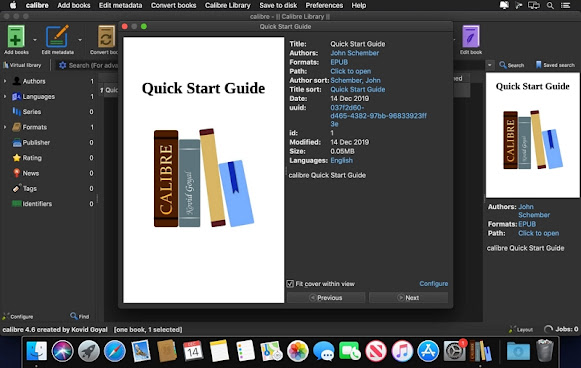
Calibre is a big name in managing ebooks, removing eBook DRM, and converting ebook formats. The newly released version of Calibre 5.31 has just added support for the brand new 2021 Kindle PaperWhite 5, and now you can manage your collections in your Kindle PaperWhite 5 when plugging it into your PC or Mac. This is a bug fix for the earlier versions of Calibre (5.30 and earlier) which didn't recognize the new 2021 Kindle Paperwhite 5 as a device.
Besides adding the support for Kindle PaperWhite 2021, this new release of Calibre also adds the following support and fixes some bugs:
Moves an option to Preferences -> Behavior to have calibre recognize numbers when sorting (this was previously under Preferences->Tweaks).
Adds support for EPUB 3 landmarks in the Set Semantics tool under the Edit Book option.
Add an entry to the Connect/share menu to open the content server in a local browser when it is running.
Prevent the display from sleeping when using auto-scroll or read aloud modes (Implemented only on Windows and macOS).
Add a button to directly open the viewer help section in the calibre user manual to the viewer controls.
Fix incorrect first letter partitioning when enabling numeric collation of items that start with a number.
Fix a bug in an HTML serialization library calibre uses that broke a few things, such as the comments editor tool in the metadata dialogue.
Fix some OPDS feeds failing with non-ASCII content.
Want to remove Kindle DRM with Calibre? Here is the detailed step-by-step guide for you:
Bonus Tips: Remove Kindle DRM Without DeDRM Plugin
If you are looking for a much easier way to remove Kindle DRM without installing any plugins, just go to use Epubor Ultimate. Download your Kindle books to your computer from the Kindle for PC/Mac, or from the Amazon website, add them to the program, your Kindle books will be soon decrypted!
Calibre is an open-source program for managing ebooks, combines the function of removing ebook DRM, converting ebook formats, and reading ebooks. As an eBook DRM Removal & ebook Converter, Calibre lets you decrypt and convert Kindle, Kobo, Google Play, Adobe Digital Editions books. As an ebook viewer, Calibre supports reading a lot of ebook formats, including PDF, EPUB, Mobi, AZW3, etc.
Calibre indeed is a really powerful tool for ebooks, however, nothing is perfect. The biggest drawback of Calibre is its difficulty of use and dated user interface. In fact, it's not the only one that can offer the features you need for your ebook management. Here we've collected the best Calibre alternatives in 3 categories that have similar or even better functions for every type of user.
1. Calibre Alternatives for eBook DRM Removing & Conversion
Epubor Ultimate, the best Calibre alternative for ebook DRM removing & ebook conversion, is a well-known brand in the ebook software market. Apart from Calibre, it should be the most powerful and easy-to-use ebook DRM Removal & ebook Converter.
Download Epubor Ultimate for Free
Key Features:
1. Remove DRM from eBooks purchased from almost all the popular retailers (including Kindle, Kobo, Google Play, Nook, Adobe Digital Editions) without installing any DRM removal plugins.
3. Automatically detect devices and load downloaded ebooks. No need to manually add books one by one.
4. Much easier to use than Calibre with a user-friendly interface.
5. Edit metadata, including title, author, publisher, introduction and the book cover.
6. Provide excellent customer support (6 * 12).
2. Calibre Alternative for eBook Management
Alfa eBooks Manager is the most powerful and easy-to-use book organizer for Windows. It allows you to organize your electronic and paper books in a single e-library. It makes ebook management fast and easy, which saves your time and keeps your electronic library safe. You can also take full advantage of the built-in eBook reader and audio player because it supports the most popular formats.
Note: Alfa eBooks Manager is only available for Windows 7/8/10.
Key Features:
1. Create e-library: Get your paper, electronic and audiobooks in a single e-library.
2. Catalog books: Catalog any book data. Add tags and custom fields.
3. Customize design: Customize the look and feel of your e-Library.
4. Scan computer for ebooks: Scan your computer for ebooks, parse metadata.
5. Read eBooks: Built-in ebook reader supports all popular e-book formats.
6. Ebook converter: Convert ebooks for your Kindle, iPhone, or Android reader.
7. Edit ebook metadata: All popular formats are supported including EPUB, MOBI, FB2, PDF, AZW.
8. View books in 3D: Play with a realistic 3D model of your favorite books.
9. Manage audiobooks: Quickly add, organize audiobooks. Built-in audiobook player.
3. Calibre Alternative for eBook Reading
Epubor Reader is the most beautifully designed ebook reader with really powerful functions in a user-friendly interface. As the best Calibre alternative for ebook reading, it supports reading multiple ebook formats, including EPUB, MOBI, AZW3, PRC, TXT, HTMLZ, etc. Besides, it offers fully customizable options like adjustable font type, font size, theme, and page-turning mode, and it enables you to view, organize and manage all your ebooks in all kinds of formats in a single library. Adding books to Epubor Reader is very simple, just adding to the library by a simple "drag & drop".
Download Epubor Reader for Free
Key Features:
1. Supports multiple ebook formats including EPUB, MOBI, AZW3, PRC, TXT, HTMLZ, etc.
2. Much beautifully designed and user-friendly interface.
3. Easy to add highlight, bookmark, and make notes.
4. Offer 5 themes including Day & Night mode switcher.
5. Change font type and font size.
6. Switch reading mode between horizontal and vertical scrolling.
7. Well-structured book sorting feature according to criteria of the author, language, publisher, and ISBN.
Amazon has announced a new storytelling option through Kindle Direct Publishing – Kindle Vella, which allows authors to share original serialized stories with readers over an extended period – one episode at a time.
Quote:
We’re excited to share a new storytelling option available through Kindle Direct Publishing: Kindle Vella. With Kindle Vella, you can self-publish serialized stories, one short episode at a time. Episodes can range from 600 – 5,000 words. In the next few months, readers will be able to access all Kindle Vella stories in the Kindle iOS app and on Amazon.com.
Starting today, we will begin inviting U.S.-based authors to start a Kindle Vella story. When Kindle Vella is available to you, you will see a Kindle Vella banner at the top of your KDP Bookshelf.
Kindle Vella also offers a new way to earn royalties. You’ll earn 50% of what readers spend on Tokens, which are used to unlock your story’s episodes. You’ll also be eligible for a launch bonus based on customer activity and engagement. To make it easy for readers to find stories they love, the first few episodes of every story are free.
We are also introducing ways for readers to interact with your stories:
• Serial storytelling: Each story will be published one episode at a time. Readers can follow stories they like and we'll notify them when new episodes are released.
• Share more about your story: You can use tags to help readers quickly find the stories that interest them. Also, at the end of each episode, you have the opportunity to leave a personal Author Note.
• Introducing Thumbs Up and Faves: Readers can leave a Thumbs Up for any episode they like. Once a week, readers who have purchased Tokens will receive a Fave to award to the story they enjoyed most that week. We'll feature stories with the most Faves in the Kindle Vella store.
You might be familiar with other fanfiction websites which also have these similar features, such as Wattpad. Will Kindle Vella be a success and attract more talented self-published writers to tell serial stories through this new platform?
Of course, Amazon continues to push its own boundaries in the reader market. They create a new way to allow authors to tell a story to readers in the kindle mobile app, a new way to earn royalties, and a new way to engage and interact with readers. Do you have a story to tell? Start your first story today via Kindle Vella library here!
Notice:
You might end up spending more to finish reading the whole story. So why not purchase a Kindle ebook instead and back up to your computer for good? And if you want to liberate your legally purchased Kindle books for personal uses, you should get rid of DRM from your Kindle books in order to take full control over your files.
Google brought audiobooks to Google Play Store in January 2018 while Audible still takes the lead and pulls ahead of its contenders in audiobook market.In this post, I’m going to compare the audiobook services provided by Audible and Google in terms of pricing strategy respectively.
Audible
Audible is well known for its membership subscription plans which subscribers pay a monthly/annual fee and get credits in return. The Gold plan is priced at $14.95 per month for 1 credit, and the Platinum plan is priced at $22.95 per month for 2 credits. Once you’re an Audible member, you can buy 1 audiobook for 1 credit no matter how much the audiobook costs. All Audible members can make regular audiobook purchases at a 30% discount. A limited number of unused credits can be rolled over into the next month or year, depending on which membership plan and the amount of allotted credits. Audible members have unlimited listening access to all Audible Channels content.
Actually there’s a hidden Silver plan that Audible doesn’t advertise. Audible Silver membership plan costs $14.95 every two months, instead of every month. You still only get one free credit every time your subscription renews. If six books a year is enough for you, then Silver plan suits you well. There is no quick access to this silver subscription, you have to go to Audible customer service page and start a chat to ask them to downgrade your membership to silver.
While Audible constantly pushes its membership plans, it also lets you buy the individual audiobook from Audible, but the prices especially for new titles are fairly expensive. Good news is that Audible offers a DAILY DEAL where you can pick up cheap title to listen to: today’s deal is Mark Miodownik’s Stuff Matters, which costs only 2.95$ (the regular price is 26.59$). An added benefit with Audible is it offers aggressive discount on the audio companion if you’ve already bought its ebook on Amazon. If you’ve bought Danny Baker’s Going on the Turn on Amazon, you just need to pay 2.99$ rather than the regular price 20.65$ to get the audiobook version from Audible.
Google
Google doesn't adopt any membership plan for its audiobook service. You need to pay for individual titles at their shelf price. At the initial stage, Google is running a promotion where most audiobooks are heavily discounted. It’s offering a decent range of titles (including older classic titles and new releases) on limited time offers. Google also offers a 50% discount on your first audiobook. For now, no discount is offered on a Google Play audiobook if you’ve already purchased the eBook version. As for this point, those who enjoy swapping between ebook and audiobook have a firm reason to stick with Audible.
If you’re a Google Home device owner, you probably get a promo email from Google saying some Google Home users can redeem a complimentary audiobook of their choice for free. The promotion is valid until February 9th, 2019.
Audible is cheaper if you are listening to one or more audiobook per month, let alone it offers a 30-day-Audible-free-trial-membership. If you’re not a regular listener and not preoccupied with new releases, it’s always cheaper to buy off the shelf. Right now, Google Audiobooks is a better alternative for selective titles because of the heavy promotional discounts. However, once the promotion period ends, prices will be back to normal, and Google may lose its price advantage in the long run.
Through the above comparison, we can see that Audible audiobook is superior to Google audiobook service in terms of pricing plans. However, Audiobooks downloaded from Audible website are in the Amazon proprietary format AAX or AA. The Audible audiobooks are locked by DRM which prevents you from sharing your purchased audiobooks with your friends. Moreover, the DRMed Audible audiobook are confined to be played on selected Audible supported players or devices, so you can’t transfer them among multiple platforms and devices. Given the above situation, it’s imperative to remove Audible DRM and convert their formats to a universal audio format such as mp3, wma, wac, etc.
Epubor Audible Converter is a powerful tool dedicated to stripping DRM from your purchased Audible audiobooks and converting the AA and AAX formats to mp3 or other compatible DRM free formats.
We would like to extend a warm thank you to our clients, family and friends for your continued support during 2013. We've had a fantastic year, filled with surpriseds, sweats, challenges and opportunities. We hope that you've had a great year too.
To show our deep thanks and appreciation for your support in 2013, we're offering $50 and $20 Amazon Gift Card for free! Any one can join this carnival with the giveaway widget below.
Meego is a mobile phone operating system created by Nokia and Intel. It was onced considered to have huge potential and be Nokia’s powerful weapon against Android. But Nokia and Intel both gave up Meego in 2011. Luckily Meego doesn’t disappear from our eyesight therefore. In the May of this year, the Finland cellphone maker Jolla claimed that they would launch the first Sailfish phone – a smartphone based on Meego OS. This news made Jolla quickly got people’s attention. And recently, a more excited new has come out – Jolla has announced the technical specification and price of its first Sailfish phone officailly.
According to Jolla’s announcement, the Sailfish phone has a 4.5 inch display with a 960*540 resolution (245 ppi). It adopts a 1.4 GHz dual-core Qualcomm chipset with 1GB RAM and 16GB flash memory (supports MicroSD card). In addition, this phone has 8MP rear camera and 2MP front-facing camera. The battery capacity is 2100 mAh.
As you can see here, the configuration of Sailfish phone is so ordinary, or rather say, lower-end. But it has a high price of 399 € - about 539 $. Low configuration with high price, maybe the prospect of Sailfish phone is not so optimistic. At least for general people, they have other options in this price class.
Perhaps there are two bright spots of Sailfish phone you may be interested in. One is that Sailfish is compatible with Android apps. This sounds great - at least it’s better than Windows Phone which is lack of apps. The other is that it supports replaceable rear cover. The theme color of the phone will adjust automatically as the rear cover’s color. But these can’t be the main motivation of people choosing a new phone.
The Apple products always give us much expectations and imaginations. The latest launched iPhone 5s and iPhone 5c have let us see Apple's extraordinary creativity and industrial design once again. But the iPhone is not the only thing we would expect. There are still two Apple products we should concern this year – the iPad 5 ad iPad mini2. You may have seen some leaking photos of the appearance. But today you'll see a more detailed video about the iPad 5 and iPad4. With it we can know some features of the iPad 5.
As the rumor says, the iPad adopts a slim bezel design like the iPad mini. Its width has reduced much but the length should be same as iPad 4. The battery of iPad has smaller size. Generally this means a shorter battery life. But we could not make this conclusion yet as an efficient battery management system is also very important. iPad 5 has a 9.7 inch Retina display with 2048*1536 resolution. This is the same as iPad 4.
According to Apple's tradition, the iPad usually has more powerful chipset than iPhone. We' ve know the latest iPhone 5s has the new A7 chipset. It's possible that iPad 5 may adopt the more power A7X chipset with the 64-bit architecture. It has an improvement of GPU and supports Open GL 3.0. This could result in a leap in the game performance.
5 Days later we will randomly pick 10 entries to send the registration code for Epubor EPUB to PDF Converter 2.0 for free!
Tips:
Click the "Via Email" button is much simpler, but you can only get 1 entry with it;
Click the "Connect" button you will need to connect to Facebook and click "+1" to our Google Plus page, but each step you can get 1 extra entries, by this method you can get 4 entries in total;
We always see iPhone or Samsung cellphone around. It's no doubt they are the best-selling iOS and Android phones at present. But 6 years ago Nokia and Motorola were the real dominator in the cellphone market. They sold the vast majority of cellphones in the world. This article will introduce you the top 16 best-selling cellphones in the world. You can find that most of them are Nokia and Motorola.
Cellphones over 50million sales volume:
16. Nokia 6230, launched in 2004, sales volume: 50 million 15. Nokia 3100, launched in 2003, sales volume: over 50 million 14. Motorola StarTAC, launched in 1996, sales volume: 60 million 13. Motorola C200, launched in 2003, sales volume: 60 million 12. iPone 4S, launched in 2011, sales volume: over 60 million 11. Nokia 5130, launched in 2007, sales volume: 65 million 10. Nokia 6010, launched in 2004, sales volume: 75 million
Cellphones over 100 million sales volume:
9. Nokia 1208, launched in 2007, sales volume: 100 million 8. Nokia 1600, launched in 2006, sales volume: 130 million 7. Motorola RAZR V3, launched in 2004, sales volume: over 130 million 6. Nokia 2600, launched in 2004, sales volume: 135 million 5. Nokia 3310, launched in 2000, sales volume: 136 million 4. Nokia 5230, launched in 2010, sales volume: 150 million 3. Nokia 1200, launched in 2007, sales volume: 150 million 2. Nokia 3210, launched in 1999, sales volume: 160 million
Cellphones over 200 million sales volume:
1. Nokia 1110, launched in 2005, sales volume: 250 million. This is the only cellphone has a sale volume over 200 million.
Let’s the cellphones come from No.1 to No.10. Nokia is so amazing!
No.9: Nokia 6010. At that time, a cellphone with color screen is absolutely high-end! No.9: Nokia 1208. You may still see this phone today. 100 million sales volume can explain everything. No.8: Nokia 1600. You may have forgotten how it looked like, but you may still remember the interesting football game in that phone. No.7: Motorola RAZR V3. This is the most impressing Motorola cellphone. It ushered the time of ultra-thin mobile phone. No.6: Nokia 2600, the excellent keyboard design brought it a sales volume over 135 million No.5: Nokia 3310. We could say nothing but “classic” for this cellphone. No.4: Nokia 5230, the most popular Nokia phone. We can still find many 5230 in the street. More than 150 million Nokia 5230 has sold out since it firstly launched in 2010. No.3: Nokia 1200, the former of Nokia 1208. You may not forget its soft plastic keyboard. No.2: Nokia 3210. It may be too old for people at present. It launched in 199 and sold 160 million totally. No.1: Nokia 1110, the most classic Nokia phone. I bet you must remember the hand-shaking loading animation and the interesting Gluttonous Snake!
As the second mobile phone producer in Korea and an important role of Android market in the world, it seems that LG has no much brilliant performance comparing with Samsung, another Korean mobile phone giant and the leader of Android phone at present. Most LG phones don’t impress us much except the Nexus 4. But this time as the new flagship – the LG G2 announced, we sees to have a reason to choose LG.
The 5.2 inch display is one of the main highlights of LG G2. It adopts an IPS LCD with 1920*1080 resolution and 450nit brightness rating. These make G2 has an excellent display effect. 5.2 inch is not a common size but it’s also suitable for two-hands holding.
As Sony Xperia Z Ultra first adopted the Snapdragon 800 chipset, more and more new phones choose this new and powerful chipset. LG G2 has a 2.3GHz CPU and Andreno 330GPU, with a 2G RAM and 16/32 GB ROM. This monster-level configuration almost catches the desktop PC and may have performance surplus.
LG G2 has a 13MP camera and can record FullHD 1080P video. But we haven't known what lens it use.
More specification of LG G2:
• General: Quad-band GSM/GPRS/EDGE, quad-band UMTS/HSPA, penta-band LTE support, LTE-Advanced
• Form factor: Touchscreen bar phone
• Dimensions: 138.5 x 70.9 x 8.9 mm, 143 g
• Display: 5.2" 16M-color 1080p (1920 x 1080 pixels) power efficient capacitive touchscreen IPS LCD with Gorilla Glass 3 and ~424 ppi and 450 nit brightness, extremely narrow bezels (2.65 mm)
• CPU: Quad-core 2.3 GHz Krait 400
• GPU: Adreno 330
• Chipset: Snapdragon 800 chipset
• RAM: 2GB
• OS: Android 4.2.2 Jelly Bean
• Memory: 16/32GB storage, microSD card slot (region-specific availability of the slot)
• Cameras: Primary 13 MP auto-focus optically-stabilized camera, 8X digital zoom, face detection, HDR mode, panorama, geo-tagging; Full HD (1080p) video recording at 60fps, Secondary 2.1 MP front-facing camera with FullHD video capture
• Connectivity: Dual-band Wi-Fi a/b/g/n/ac, Wi-Fi hotspot, Bluetooth 4.0 LE, standard microUSB port with MHL and USB host, GPS receiver with A-GPS, GLONASS, 3.5mm audio jack, NFC, wireless screen sharing (Miracast protocol)
• Misc: Camera has sapphire glass cover, customizable system key (can assign different functions to back, home, menu buttons); tap twice on the screen to turn it on and off
• Battery capacity: 3,000mAh Li-Po unit (2,610mAh in some markets)
Epubor today updates all the eBook Converter products, including Ultimate Converter, eBook Converter, Kindle to PDF Converter, Mobi to EPUB Converter, and EPUB to Kindle Converter.
At the moment all the upgrades are only for Windows users, the upgrades for Mac are on the way.
The Google Glass firstly came out in 2012.April. This amazing gadget had created much of a stir over the past year. As an unpublished product, it kept mystique for a long time. At April 10th.2013, Gizmodo released an infographic which shows how the Google Glass works. This news once again aroused people’s interest of Google Glass. From the infographic we’ve concluded some features and function of Google Glass. Let’s check it out.
Revolutionary Features
1. Simple but not simple
On first seeing the Google Glass, you may surprise on its size -How could it be so small? Most people may regard it as a normal eyeglass. Actually it’s a high-tech product generated with CPU, battery, camera, speaker & microphone, display system in an eyeglass. It looks light and handy indeed but also has powerful function.
2. An eyeglass without lens
The Google Glass doesn’t have lens and it adopts a projection display instead. All the information will send out by a mini projector and finally reflected directly on our retina through a prism. It must be pointed out that you must make sure your eye keeps staring on the projector in order to see clearly. This may cause distraction and some dangers.
3.”OK, Glass”
Physical buttons not found? Well, you don't need them as the Google Glass use voice and gesture control. Every time you say “Ok, Glass”, the system awake. It understands what you say and respond correctly. Just like the picture below:
You may concern the outside noise interference. Actually with the support of bone conduction technology, any sound comes from outside will not be accepted as command. The system can only recognize the sound of user.
The Google Glass can respond to simple facial and head movements. For example, you can turn the screen on and operate the device with eye movements or tilt your head to scroll through different screens.
What it does
1. Hands-free recording and sharing
No need to take out your camera in haste. Just say, “Ok Glass, record a video,” and the headset will automatically begin capturing footage. You will not miss any moment. In addition you can also share what you see with your friends on Google Hangouts.
2. Navigation hand by hand
It’s easy to find our way with GPS or cellphone. But sometimes we still get confused as the map is not intuitive enough. The Google Glass provides a turn-by-turn navigation. All the road condition collected from Google Maps will display just in front of you in real time. Distance, time-consuming, direction, all of them is clear at a glance. No need to look down the map and check around any more. Just walk as usual.
3. Translate at any time
With voice control technology Google Glass successfully integrates with Google Translate. You can translate anything you want at any time. See the picture below. Maybe you won’t get embarrassed in bargain.
4. Google Now support
The Google Now application is also integrated in Google Glass. This means you’ll be able to get real-time updates based on your location. For example, if you’re approaching a subway station Google Glass can pull up a train schedule. If service is suspended, you can ask Glass for an alternate route to reach your destination.