Monday, February 27, 2023

Epubor Issued New Update for NOOK DRM Removal!

For the past few years, Barnes and Noble have made it complicated to read Nook books on PC. Let alone trying to back up your purchased nook books. Luckily, after years of hard work, now Epubor issues a new solution to help you remove Nook DRM effortlessly as long as you can download your nook file to your PC. Here’s the detailed guide:

Step 1. Download Nook DRM Removal

The newly released Nook DRM Removal is the best tool to help you remove Nook DRM easily.

Step 2. Enter your Nook Account and Password

Launch Nook DRM Removal, go to settings >> Nook >> enter your Nook account and password >> OK

Step 3. Start Downloading Nook books via Nook Windows App

In order to remove Nook DRM, you need to download Nook books to your computer first. Right now you install the Nook windows app from the Microsoft store to your computer, then you can start downloading your nook books. Actually, as long as you can download nook books from other devices, such as your Nook reader or your smartphone, then plug in your device to your PC, next, find the nook files on your computer and add them to Nook DRM Removal. 

Step 4. Remove Nook DRM

Nook DRM Removal can detect nook books downloaded via the Nook Windows app automatically. All your nook files will be displayed under the Nook tab. All you need to do is add them to the right main window to remove nook DRM. 

Z-Library is Back Again!

Z-Library is a very useful and powerful free online library containing over 100 million books. Anyone can download e-books from this website in many formats, such as PDF, epub, and more. As of January 1, 2023, Z-Library reported to have more than 11,828,754 books and 84,837,643 articles. The organization describes itself as "the world's largest e-book library", as well as "the world's largest scientific articles store", and operates as a non-profit organization sustained by donations.

However, in November 2022, almost all the public domains of the library were blocked. Despite the legal challenges, the Z-Library project has gained significant support from users, particularly students and researchers in underfunded institutions who rely on its resources for their studies and work. 

Z-Library project plays an indispensable role in some users' lives. It has caused great inconvenience to lose access to Z-library, especially for users who haven't downloaded their books or articles from their library yet. For budget-tight users, this site really means a lot to them. They just can't live without Z-library.

The good news is that Z-Library is back again! To access it, follow this link singlelogin.me and use your regular login credentials. After logging into your account, you will be redirected to your personal domain. 

Note: Please keep your personal domain private! Don’t disclose your personal domain and don’t share the link to your domain, as it is protected with your own password and cannot be accessed by other users.

Bonus tipsif you need to back up your purchased Kindle/Kobo/Google Play/Barnes&Noble books, you can follow this guide to get rid of DRM protection.


Tuesday, January 17, 2023

Kindle Unlimited Books can't be Downloaded via USB

Obviously, Amazon is making it more difficult to remove DRM from purchased Kindle ebooks. Amazon just changed their encryption scheme again, such that any book published in 2023 or newer is using a new KFX format that is as of yet uncrackable by DeDRM tools. Users can downgrade the Kindle app to skip the KFX format before, however, this new change requires users to update the Kindle app in order to download the content. The good news is that you are still able to remove Kindle DRM if you can download Kindle books via USB if you have a Kindle e-Ink device. This solution is only limited to your purchased Kindle books.

The bad news is that all Kindle Unlimited books are no longer available to download or transfer by USB due to the new KFX format. Amazon even updated the Kindle Unlimited help page on their website with the following:

Note: Borrowed titles can be delivered to and accessed on WiFi-enabled Kindle devices or through the Kindle app, but they cannot be downloaded or transferred via USB.

If this particular limitation applies only to loans, it may be to protect borrowed books from being stripped of DRM. It makes sense. Because you don't own any of this content, it is just lent to you for the duration of an active subscription.

If you don’t want your purchased Kindle books being forever locked into Amazon’s ecosystem, it would be wise to make backups of all your Kindle ebooks in AZW format in case Amazon eventually transitions everything to KFX format with unbreakable DRM.


Thursday, January 5, 2023

Newly Published Kindle Files can't be Downloaded via the Older Versions of Kindle Apps

Since Amazon has adopted the KFX format, there’s no DRM Removal tool that can handle Kindle KFX files. Therefore, in order to skip the KFX format, you need to downgrade the Kindle app to an older version to be able to remove Kindle DRM. However, as of today, newly published books seem to be affected. Your Kindle for PC/Mac requires the latest version to download and view the content. Of course, you can still download older books via the older version of Kindle for PC/Mac. 

Luckily, Downloading & transfer via USB targeted to an e-ink Kindle still works even for the newly published ones. 

Here’s a step-by-step guide to help you remove Kindle DRM by downloading Kindle books through Download & transfer via USB method from the Amazon website.

This guide works for both Windows and macOS users. The bad news is that you can't use this method if you don't have a Kindle e-Ink device.


Tuesday, December 20, 2022

Kindle Apps for Windows and Mac now Support EPUBs!

The Send to Kindle app for PC and Mac has been updated to version 1.1.0.254. (The previous version was 1.1.0.253.)

It now accepts EPUBs and still allows MOBI format. You can download the latest version kindle app for Windows and Mac from Amazon's website. If you already install the earlier version Kindle app on your computer, you can update to the latest Kindle app by launching the Kindle app and clicking Download and Install.

Amazon added support for sending epub files to Kindle back in April, and their Kindle apps for iOS/Android have supported epub files since August. Now their desktop kindle apps for Windows/Mac also allow users to send epub files to Kindle eReader and Kindle reading apps. Of course, they only support DRM-free epub files. At the same time, they don't actually send the EPUB files to Kindles, but they get converted to Kindle formats instead.

By the way, sending epubs to Kindle by web is better than sending via these Kindle apps. First, it doesn't require you to download the Kindle apps. Second, the send to Kindle by web provides feedback on the processing of the book after it has been sent to Amazon. 

Tuesday, November 22, 2022

Best Way to Remove Nook DRM for Free Now!

DeDRM tools version 10.0.3 has some major fixes. The most useful change is that now this new v10.0.3 DeDRM_tools plugin can 

  • support extracting the B&N / Nook key from the NOOK Microsoft Store application.
  • support extracting the B&N / Nook key from a data dump of the NOOK Android application.
  • support adding an existing PassHash / B&N key base64 string without having to write it to a file first.

So now as long as you can download Nook books, you can import your nook files to calibre and remove DRM with the DeDRM plugin.

It is super easy to operate. 

First, download the version 10.0.3 DeDRM plugin to your computer and unzip it.

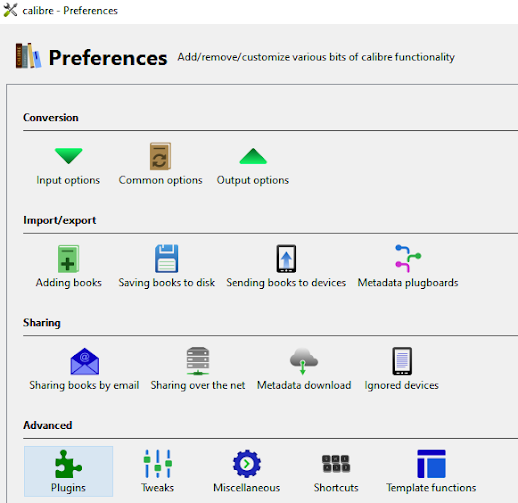
Second, upload the DeDRM plugin to calibre. The plugin needs to be used with calibre. If you have not installed calibre, you can download it here. 

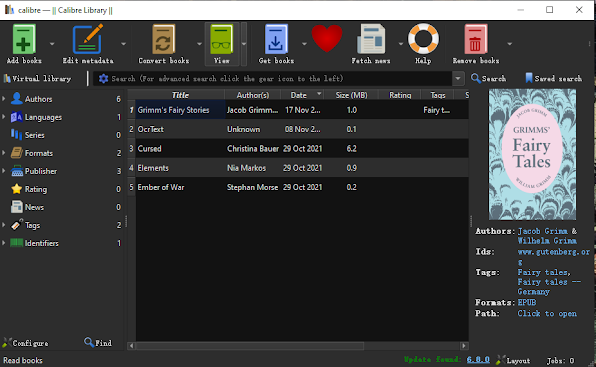
Third, drag and drop your Nook files to the calibre library, it will be decrypted automatically. Then you can view the epub file with calibre viewer directly.

However, if you still do not know how to make it work using this method, you can use the paid software – Epubor Ultimate to remove Nook DRM. Besides, it can also help you remove DRM from your purchased Kobo/Kindle/Google Play books

Thursday, November 10, 2022

The Most Daring Innovations about BOOX Newly Released Devices

At BOOX's October Product Launch Event, they are excited to introduce their new ePaper tablet PC – Tab Ultra, as well as two new eReaders - NovaAir2 and Leaf2.

As you can see, BOOX tried to push ePaper devices to their limits over the last year.

For example, the Tab Ultra marks the beginning of our new ePaper tablet PC product line, which is designed for boosting productivity. So you can complete a variety of tasks on one device. And the Nova Air2 retains the elegant design of its predecessor while offering upgraded hardware and software. And the Leaf2 is updated to provide a more immersive reading experience. Now pre-orders for all new products already begins!

Plus, Onyx Boox has just issued the latest 3.3 firmware, which includes a redesigned control center with a more vibrant interface with new useful shortcuts. So all their new devices allow you to split the screen for multitasking.  And the redesigned user interface is able to adjust the refresh and contrast settings. More useful features allow you to explore!